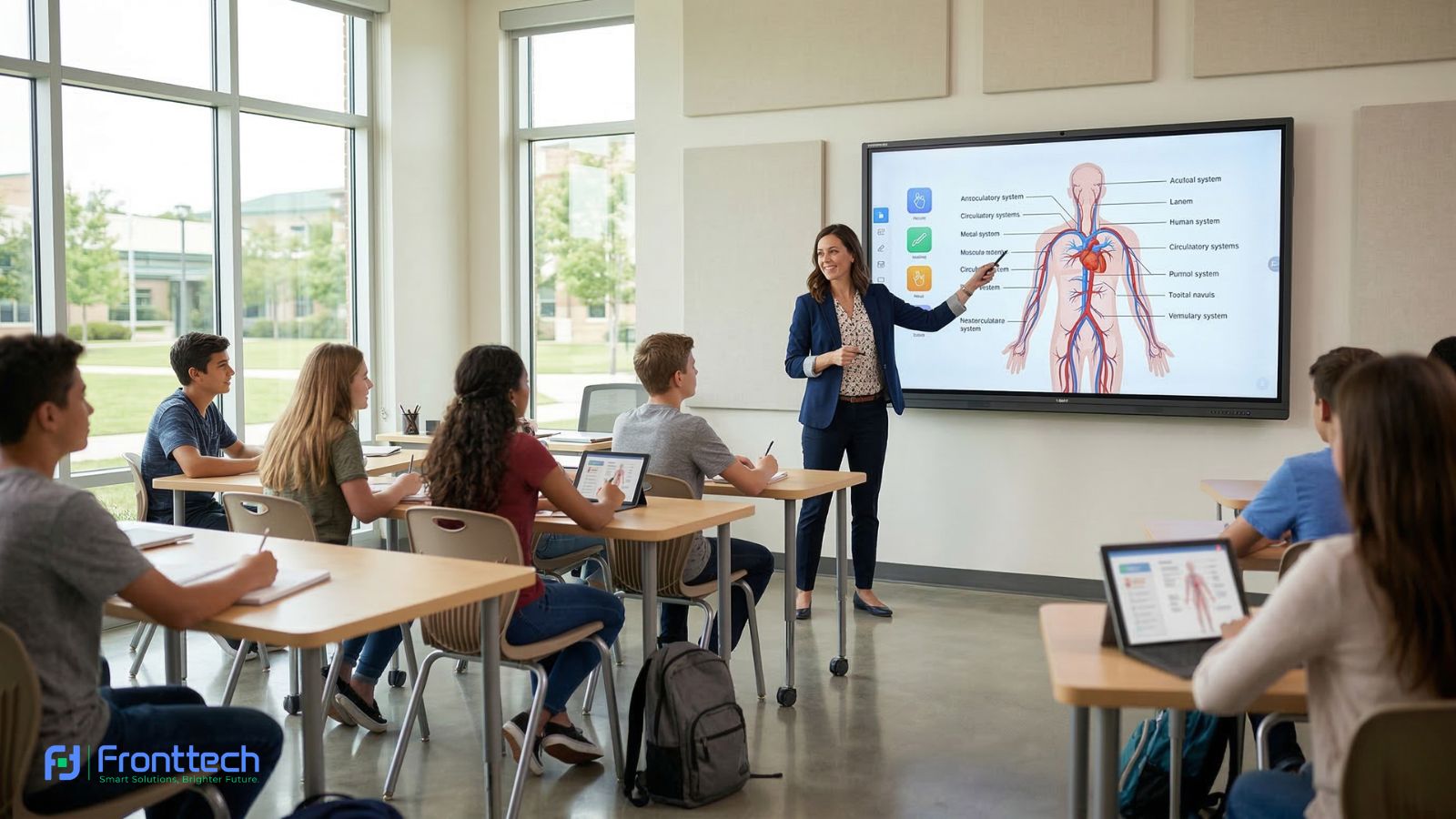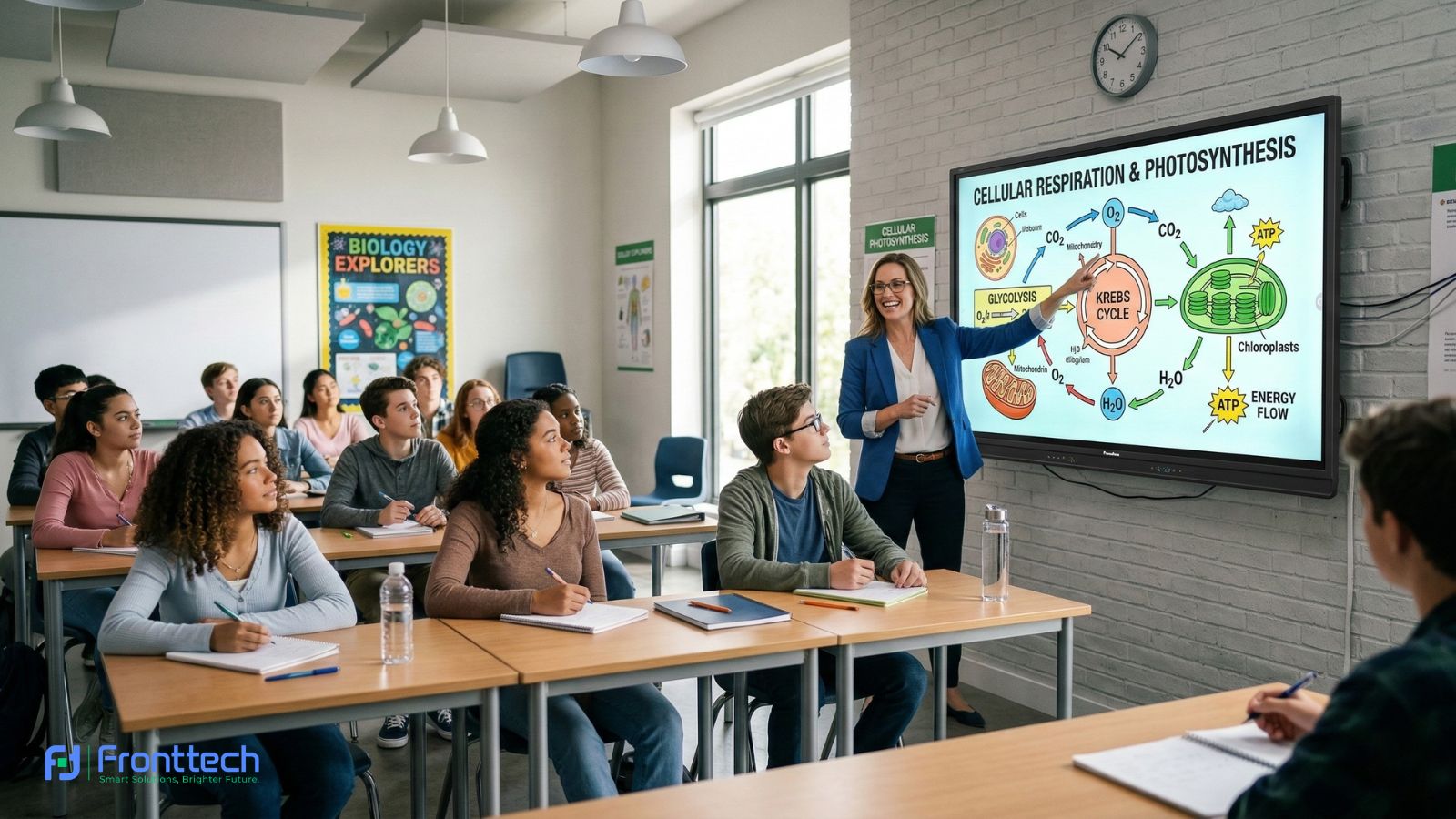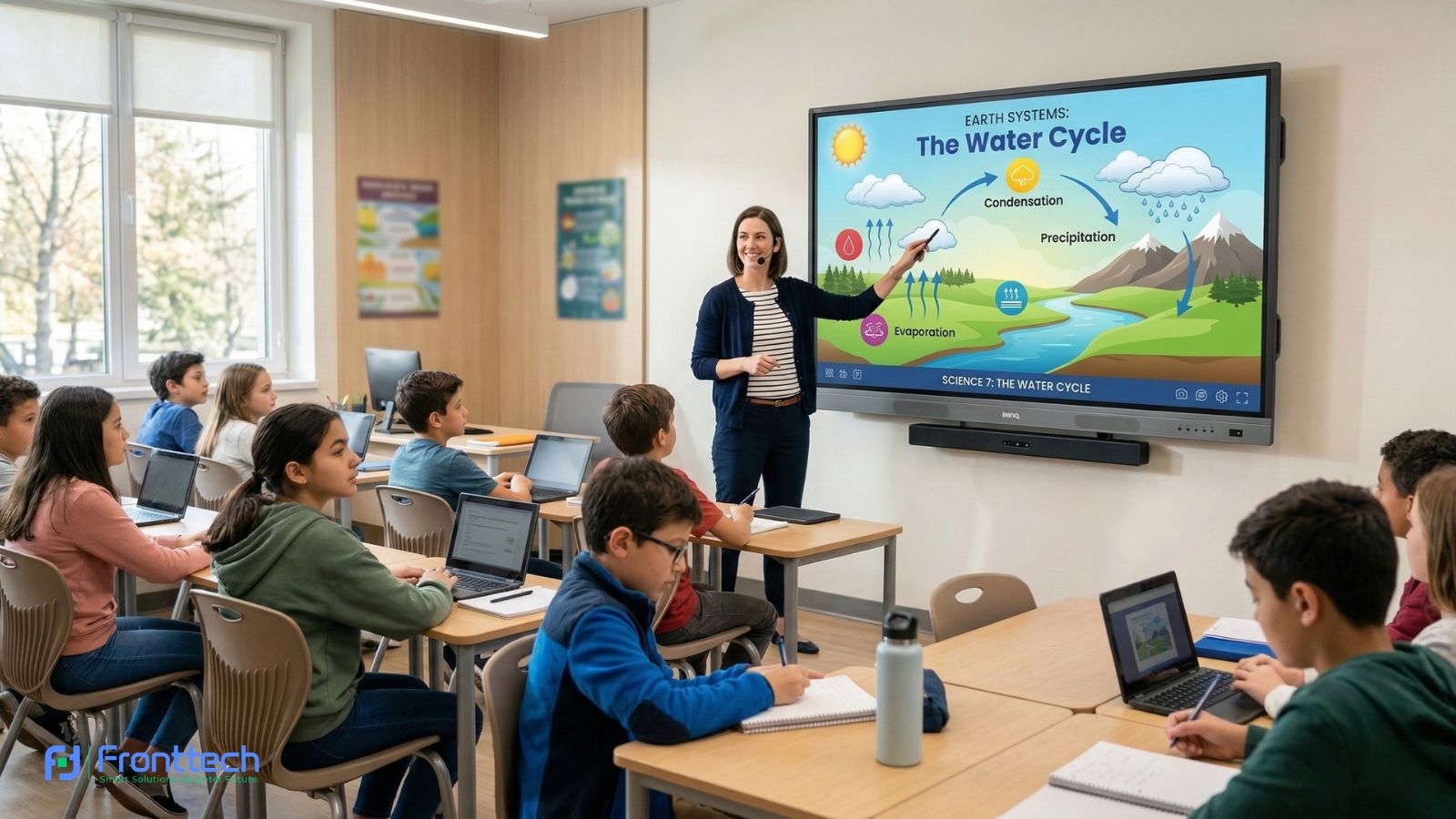


An Interactive Whiteboard has become an essential teaching tool in modern classrooms because it combines display, writing, and digital interaction into one single system. Instead of using a traditional whiteboard and projector separately, teachers can explain lessons, display visual content, and interact with students directly on the interactive whiteboard. From my observation, this improves teaching efficiency and makes lessons easier to understand for students.
In real classroom environments, interactive whiteboards allow teachers to write notes, open presentations, play educational videos, and save lesson materials for later use. This reduces lesson preparation time and improves overall classroom organization. Many teachers report that using an interactive whiteboard helps them explain complex topics more clearly, especially when using diagrams, images, and interactive tools.
Another important advantage is improved student visibility and engagement. Interactive whiteboards usually come with large screen sizes such as 65-inch, 75-inch, and 86-inch, which ensures that students sitting at different distances can see lesson content clearly. Based on classroom experience, larger displays improve student focus and reduce learning difficulties caused by poor visibility.
Interactive whiteboards also support touch interaction, allowing both teachers and students to write and interact with lesson content naturally. This creates a more active learning environment compared to traditional teaching methods. In my opinion, this interactive capability is one of the biggest benefits because it increases student participation and improves learning effectiveness.
System performance and built-in software are also key advantages. Modern interactive whiteboards include built-in operating systems, teaching tools, and connectivity options, allowing teachers to access lesson files, use educational apps, and connect external devices easily. This makes the interactive whiteboard a complete classroom teaching solution.
Price and specifications vary depending on screen size, performance level, and features. Schools can choose models based on classroom size, student count, and teaching requirements. Selecting the right interactive whiteboard ensures smooth performance, reliable operation, and long-term usability.
At the end of the day, an Interactive Whiteboard is more than just a display—it is a complete teaching system that improves lesson delivery, student engagement, and classroom efficiency. Schools that choose the right interactive whiteboard benefit from better teaching experience and long-term classroom performance.
What Is an Interactive Whiteboard for Classrooms?

An Interactive Whiteboard is a smart digital teaching display that allows teachers and students to write, present, and interact with lesson content directly on the screen using touch. It replaces the traditional whiteboard and projector by combining both into a single system, making classroom teaching more efficient and interactive.
This section explains how an interactive whiteboard fits into modern classrooms, why schools are adopting this technology, and how it improves teaching clarity and student engagement. From a practical standpoint, understanding how this system works helps schools and educators decide whether it is the right investment for their classroom environment.
In real classroom use, an Interactive Whiteboard becomes the central teaching tool. Teachers can explain lessons visually, open educational content, and interact with students in real time. This improves lesson delivery and creates a more engaging learning experience compared to traditional teaching methods.
How Interactive Whiteboards Work in Modern Classrooms
An Interactive Whiteboard works as an all-in-one classroom system where teachers can write, control lessons, open files, and interact with students directly on a touch screen without needing a separate projector or computer. It has a built-in processor, RAM, storage, and operating system, which means it works like a large tablet designed specifically for teaching.
From a real classroom perspective, the daily workflow is very straightforward. A teacher turns on the interactive whiteboard, opens lesson materials such as PowerPoint, PDF, or educational apps, and explains the lesson by writing or highlighting directly on the screen. For example, during a math class, the teacher can solve equations step-by-step while students watch clearly from their seats. Based on teacher feedback, this makes explanation faster and reduces confusion compared to traditional boards.
One of the most important things users want to know is whether students can interact with it easily. The answer is yes. Most modern interactive whiteboard models support 20-point or even 40-point multi-touch, which means multiple students can write or move objects at the same time. From my observation, this is especially useful during group activities because students can solve problems directly on the board instead of only watching.
Another practical feature is built-in Android or Windows support. This allows teachers to install apps, open browser content, and use teaching tools without connecting an external PC. For example, a teacher can open YouTube educational videos, explain diagrams, and then switch back to writing instantly. Many schools prefer this because it reduces equipment complexity and saves setup time.
Wireless screen sharing is also a major advantage. Teachers can connect their laptop or mobile device to the interactive whiteboard using WiFi and show content instantly. In real classroom use, this saves 5–10 minutes per class because teachers don’t need to connect cables repeatedly. Over a full school day, this time saving becomes significant.
Another real benefit is lesson saving and reuse. Teachers can save notes written on the interactive whiteboard and reuse them later. This is very helpful because teachers do not need to rewrite the same lesson for different class sections. Many teachers report that this improves teaching consistency and reduces daily workload.
Performance depends on internal specifications. For smooth operation, at least 4GB RAM and 32GB storage are recommended for classroom use. Lower specifications often cause slow response, which can interrupt lesson flow. Based on real usage analysis, boards with faster touch response and good processing power provide a much better teaching experience.
At the end of the day, an Interactive Whiteboard works as a complete classroom teaching hub. It replaces the traditional board, projector, and sometimes even the computer. For most schools, the biggest benefit is improved teaching efficiency, clearer lesson explanation, and higher student engagement during daily classroom use.
Traditional Board vs Interactive Whiteboard Comparison
The main difference between a traditional board and an Interactive Whiteboard is functionality, teaching efficiency, and student interaction. A traditional board only allows manual writing using markers or chalk, while an interactive whiteboard allows teachers to write, display videos, open files, and interact with lesson content directly on the screen. This makes a major difference in how lessons are delivered and understood.
From my observation, traditional boards work fine for basic writing, but they limit visual explanation. For example, if a teacher wants to show a science diagram or educational video, they need a separate projector and computer. In contrast, an interactive whiteboard can open diagrams, zoom into details, and explain everything on one screen without switching devices. This saves time and keeps students focused.
Another important difference is visibility and clarity. Traditional boards can become hard to read, especially for students sitting at the back. Marker ink may fade, and handwriting clarity depends on the teacher. An Interactive Whiteboard provides a bright digital display, usually Full HD or 4K resolution, which makes content clearly visible from anywhere in the classroom. Based on classroom feedback, this improves understanding because students can see every detail properly.
Student interaction is also very different. With a traditional board, interaction is limited to writing with markers. But with an interactive whiteboard, students can touch the screen, move objects, solve problems, and participate directly. Many teachers report that students show more interest when they can physically interact with lesson content instead of only watching.
Another real advantage is lesson saving and reuse. Traditional boards require teachers to erase content after every class, and the same lesson must be rewritten again. An Interactive Whiteboard allows teachers to save lesson notes, reuse them later, and share them digitally. This reduces repetitive work and improves teaching efficiency over time.
Maintenance and long-term usability also differ. Traditional boards are cheaper initially but require continuous use of markers, erasers, and cleaning supplies. Interactive whiteboards have a higher initial cost but lower daily maintenance and provide more value through advanced teaching features. Many schools find that the long-term teaching benefits justify the investment.
The comparison below shows the practical differences clearly:
Feature | Traditional Board | Interactive Whiteboard |
Writing Method | Marker or chalk | Finger or stylus touch |
Video & Multimedia | Not supported | Fully supported |
Student Interaction | Very limited | High interaction possible |
Lesson Saving | Not possible | Can save and reuse lessons |
Visibility | Depends on handwriting | Clear digital display |
Device Integration | Requires projector & PC | Built-in system available |
Teaching Efficiency | Basic | Advanced and efficient |
At the end of the day, a traditional board is suitable for basic teaching, but an Interactive Whiteboard provides a complete teaching solution. It improves lesson clarity, saves time, and creates a more engaging classroom environment. For schools planning long-term improvement in teaching quality, the interactive option offers clear practical advantages.
Interactive Whiteboard Price for Classrooms
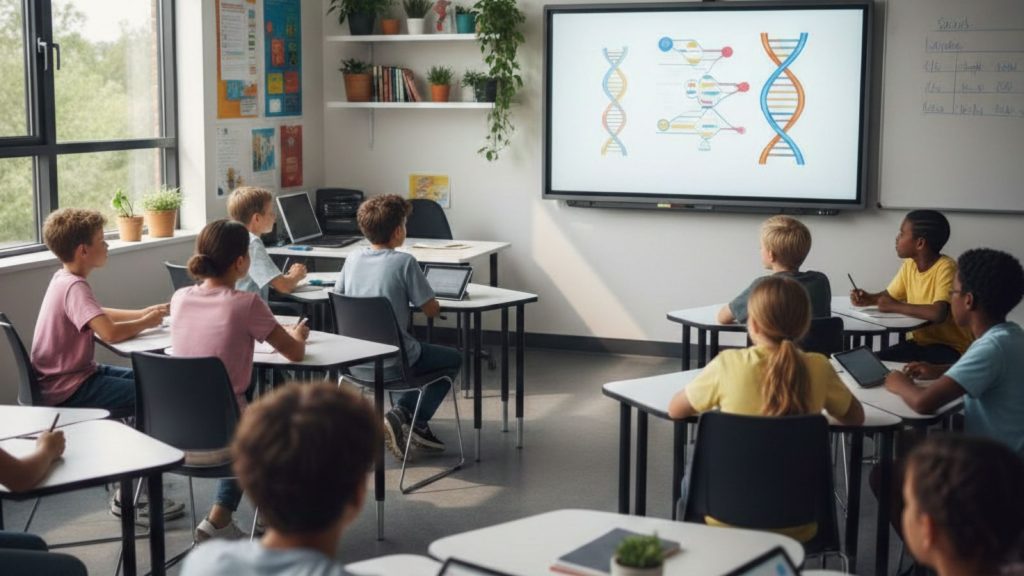
The price of an Interactive Whiteboard for classrooms usually depends on screen size, performance specifications, and overall build quality. In real school purchasing scenarios, most classroom-ready interactive whiteboards fall within the range of ৳230,000 to ৳450,000, which covers standard 65-inch, 75-inch, and 86-inch models. Smaller sizes are more affordable, while larger displays cost more because they provide better visibility and stronger hardware performance.
From my observation, schools that choose the lowest-priced interactive whiteboard often face slow system response or touch delay after long daily use. On the other hand, mid-range models offer smoother writing, faster app loading, and more stable classroom performance. This is why many schools prefer balanced options instead of focusing only on the lowest price.
Another important factor is classroom suitability. A small classroom may not need a large display, which helps reduce overall investment. However, medium and large classrooms benefit from bigger screens because students sitting in the back can see content clearly. Based on user feedback, choosing the right size interactive whiteboard improves teaching clarity and reduces student confusion.
Internal specifications also affect price. Interactive whiteboards with higher RAM, faster processors, and better touch accuracy usually cost more, but they also provide better long-term usability. In my opinion, this makes a big difference in daily teaching experience, especially in classrooms where the board is used for multiple sessions every day.
In the following sections, we will break down Interactive Whiteboard price differences by screen size, compare budget and premium options, and explain the key factors that influence total cost. This will help schools and educators understand what affects the price and how to choose the right interactive whiteboard based on real classroom needs.
Price by Screen Size (65", 75", 86")
The price of an Interactive Whiteboard changes significantly based on screen size because larger screens provide better visibility and a more comfortable teaching experience. In real classroom environments, screen size directly affects how clearly students can see lesson content, especially those sitting in the back rows. From my observation, schools that choose the correct size from the beginning avoid future upgrade costs and teaching limitations.
To help you understand the real difference, here is a practical comparison based on current classroom purchasing trends:
| Screen Size | Typical Price Range (BDT) | Best For Classroom Size | Real Classroom Recommendation |
| 65-inch | ৳230,000 – ৳300,000 | 15–30 students | Good entry-level option for smaller classrooms |
| 75-inch | ৳280,000 – ৳400,000 | 25–45 students | Most recommended size for standard classrooms |
| 86-inch | ৳380,000 – ৳550,000 | 40–70 students | Best for large classrooms and training rooms |
65-inch Interactive Whiteboard Price and Classroom Reality
A 65-inch Interactive Whiteboard is usually the most affordable option for schools starting a digital classroom setup. In my opinion, this size works well for smaller classrooms where students sit closer to the screen. Teachers can explain lessons clearly, but in larger classrooms, students at the back may struggle to see smaller text or detailed diagrams. This size is best when the budget is limited and the classroom space is compact.
75-inch Interactive Whiteboard Price and Best Value Choice
From my experience analyzing classroom setups, the 75-inch Interactive Whiteboard offers the best balance between cost and usability. It provides enough screen space for clear visibility without the high cost of larger models. Many schools prefer this size because it supports comfortable teaching and ensures students in both front and back rows can see lesson content clearly. Based on user feedback, this size feels more practical for daily classroom teaching.
86-inch Interactive Whiteboard Price and Large Classroom Benefit
An 86-inch Interactive Whiteboard is designed for large classrooms, seminar rooms, and training centers. This size ensures maximum visibility, which is important when teaching more than 40 students. From a practical standpoint, this size improves lesson clarity and reduces the need for students to move forward to see content. However, it also requires a higher budget and more wall space for installation.
Real Buying Insight Based on Classroom Experience
From my observation, most schools choose a 75-inch Interactive Whiteboard because it provides the best long-term value. It balances price, performance, and classroom usability. Choosing a size that is too small may save money initially, but can reduce teaching effectiveness over time.
At the end of the day, the right Interactive Whiteboard size depends on classroom size, student count, and teaching needs. Selecting the correct screen size ensures better lesson delivery, improved student visibility, and a smoother teaching experience for years.
Budget vs Premium Options for Schools
When selecting an Interactive Whiteboard, the real difference between budget and premium models comes down to daily performance, speed, and long-term reliability. From a practical classroom perspective, both types can deliver lessons, but the teaching experience and system stability can vary significantly depending on the hardware quality and internal specifications.
From my observation, budget interactive whiteboards usually come with basic hardware such as 4GB RAM and standard processors, which are enough for simple tasks like writing lessons, opening PowerPoint slides, and playing educational videos. For schools running 4–6 classes per day on the same board, these models generally perform well during the first few years. However, when teachers open multiple files, switch between apps frequently, or use heavy visual content, budget models can sometimes take longer to respond. This delay may only be a few seconds, but in real classroom situations, it can interrupt teaching flow.
Premium interactive whiteboards are designed to handle heavy daily classroom use without slowing down. These models usually include 8GB RAM, faster processors, and better touch sensors, which improve system speed and writing smoothness. Based on real classroom feedback, teachers notice that premium boards respond instantly when writing, switching apps, or opening lesson content. This makes teaching feel more natural and reduces time wasted waiting for the system to respond.
Another important factor is durability. Budget interactive whiteboards typically last around 4–6 years with regular classroom use, while premium models often remain stable for 6–10 years. Many schools that invested in higher-performance boards reported fewer technical problems and lower long-term maintenance needs. In my opinion, this makes premium models more cost-effective over time, even though the initial investment is higher.
Audio and display quality also differ. Premium interactive whiteboards usually provide brighter displays (350–450 nits brightness) and stronger built-in speakers, which help students clearly see and hear lessons from anywhere in the classroom. Budget models still provide good display quality, but brightness and speaker clarity may be lower, especially in large classrooms.
The comparison below reflects real classroom usability differences:
Practical Factor | Budget Interactive Whiteboard | Premium Interactive Whiteboard |
Typical Price Range | ৳220,000 – ৳300,000 | ৳350,000 – ৳600,000+ |
RAM & System Speed | 4GB RAM, standard speed | 8GB RAM or higher, faster response |
Writing & Touch Smoothness | Good for normal teaching | Very smooth and instant response |
Daily Classroom Load | Best for light to moderate use | Ideal for heavy daily classroom use |
Expected Lifespan | Around 4–6 years | Around 6–10 years |
Display Brightness | Suitable for small classrooms | Better for medium and large classrooms |
Long-Term Reliability | Good, but may slow over time | More stable long-term performance |
From a real decision-making perspective, budget models are suitable for schools with limited budgets or classrooms with lighter daily usage. But if the interactive whiteboard will be used continuously across multiple classes every day, investing in a premium model provides a smoother and more reliable teaching experience.
At the end of the day, the right Interactive Whiteboard choice depends on usage intensity and long-term classroom goals. Budget models can work well for basic teaching, but premium models provide better performance, longer lifespan, and fewer interruptions during daily classroom use.
Key Factors That Affect Price
The price of an Interactive Whiteboard depends on several technical and practical factors that directly influence classroom performance, durability, and teaching efficiency. From a real classroom purchasing perspective, two interactive whiteboards with the same screen size can have very different prices because of differences in internal hardware, touch quality, and overall build reliability. Understanding these factors helps schools choose a model that delivers stable performance without paying for unnecessary features.
One of the most important factors is internal system performance. Interactive whiteboards with 4GB RAM and entry-level processors are usually more affordable and suitable for basic classroom use, such as writing lessons and opening presentations. However, models with 8GB RAM and faster processors cost more because they provide smoother app performance and faster response. From my observation, teachers using higher-performance boards experience fewer delays when switching between lesson materials, which makes teaching feel more natural and uninterrupted.
Touch technology also plays a major role in pricing. Basic models offer standard touch response, which works well for general teaching. Premium interactive whiteboards use more advanced touch sensors that detect writing instantly and more accurately. Based on classroom experience, smoother touch response improves writing comfort and reduces frustration during longer teaching sessions.
Display brightness and panel quality also affect the overall cost. Interactive whiteboards with higher brightness levels provide clearer visibility, especially in larger classrooms with strong lighting. In real teaching environments, brighter displays help students read content more easily from any position in the room, which improves overall learning clarity.
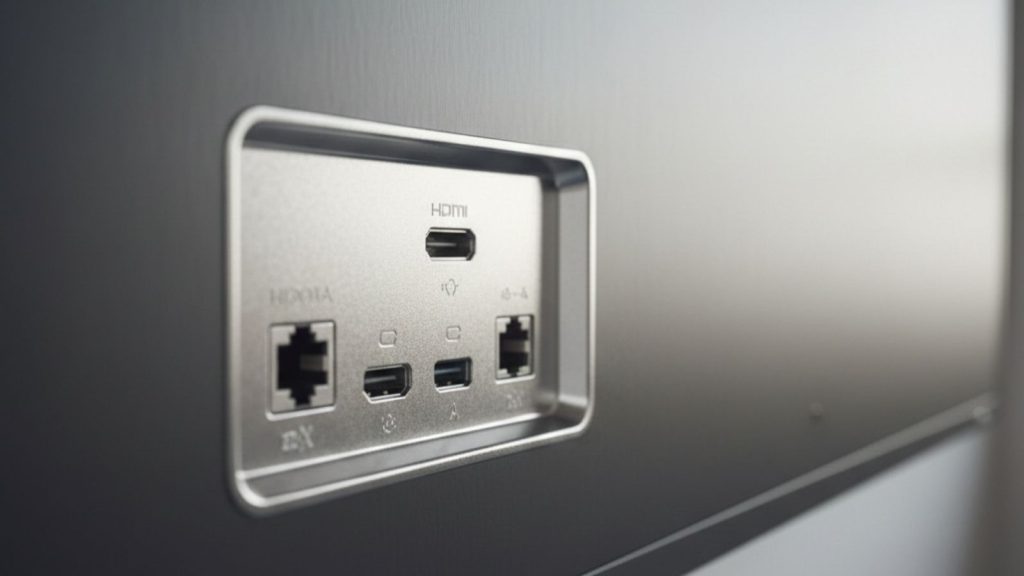
Another key factor is connectivity and built-in features. Interactive whiteboards with built-in WiFi, multiple HDMI and USB ports, and wireless screen sharing support usually cost more. These features allow teachers to connect devices easily, share lesson content, and use online resources without additional equipment. From a practical standpoint, better connectivity improves classroom flexibility and reduces setup time.
Build quality and long-term durability also influence price. Interactive whiteboards designed for daily classroom use are built with stronger display panels and more reliable internal components. Many schools report that higher-quality boards maintain stable performance for 6–10 years, while lower-cost models may experience slower performance earlier.
From a real decision-making perspective, the price of an Interactive Whiteboard reflects its performance, usability, and expected lifespan. In my opinion, choosing a model with balanced specifications ensures smoother teaching, fewer technical issues, and better long-term value.
At the end of the day, the right Interactive Whiteboard depends on classroom usage, performance needs, and long-term teaching goals. Schools that focus on performance, reliability, and usability make better investments and achieve a more effective classroom experience.
Interactive Whiteboard Specifications for Classroom Use
The specifications of an Interactive Whiteboard determine how well it performs in real classroom teaching. Key specifications such as screen resolution, RAM, touch response, operating system, and connectivity directly affect writing smoothness, system speed, and overall teaching efficiency. From a practical classroom perspective, the right specifications ensure that teachers can deliver lessons without delays and students can clearly see and interact with lesson content.
From my observation, many schools focus only on screen size but ignore internal specifications, which can lead to slow performance or limited usability later. Choosing the correct interactive whiteboard specifications helps avoid these problems and ensures reliable long-term classroom use.
In the following sections, we will explain the most important Interactive Whiteboard specifications in detail, including screen size, touch technology, operating system, and connectivity features. This will help schools understand what specifications matter most and how to choose the right interactive whiteboard for daily classroom teaching.
Ideal Screen Size & Resolution for Classrooms
Choosing the right screen size and resolution for an Interactive Whiteboard is critical because it directly affects student visibility, teaching clarity, and overall classroom effectiveness. From a real classroom perspective, if the screen is too small, students sitting in the back struggle to read text and see diagrams clearly. On the other hand, selecting the correct size ensures that every student can see the lesson content comfortably without eye strain.
Based on classroom usage patterns, the most common interactive whiteboard sizes are 65-inch, 75-inch, and 86-inch, and each size fits different classroom environments. From my observation, the 75-inch interactive whiteboard is the most practical option for standard classrooms because it provides clear visibility without high cost or space requirements.
Here is a practical size recommendation based on real classroom conditions:
Classroom Size | Recommended Interactive Whiteboard Size | Student Capacity |
Small classroom | 65-inch | 15–30 students |
Medium classroom | 75-inch | 25–45 students |
Large classroom | 86-inch | 40–70 students |
From a practical standpoint, using a 65-inch interactive whiteboard in a large classroom can reduce teaching effectiveness because small text and details become harder to see from the back. Many teachers report that upgrading to a 75-inch or 86-inch screen improves lesson clarity immediately.
Resolution is equally important. Most modern Interactive Whiteboard models use 4K resolution (3840 × 2160), which provides sharp text, clear diagrams, and better overall image quality. Based on classroom experience, 4K resolution allows teachers to display detailed educational content such as charts, graphs, and scientific illustrations without losing clarity.
In my opinion, resolution becomes especially important when teachers use videos, presentations, and digital teaching materials. Lower resolution displays can make text and images appear less sharp, which affects student understanding.
Another important factor is viewing distance. For example, a 75-inch interactive whiteboard provides comfortable visibility from distances of up to 6–8 meters, making it suitable for most classrooms. Larger 86-inch models extend visibility even further, which is useful for lecture halls and training rooms.
From a real decision-making perspective, the best screen size depends on classroom size, student count, and seating distance. Many schools choose 75-inch interactive whiteboards because they offer the best balance between price, visibility, and daily usability.
At the end of the day, selecting the right Interactive Whiteboard size and resolution ensures better lesson clarity, improved student engagement, and a more effective teaching experience.
Touch Technology for Student Interaction
Touch technology is one of the most important features of an Interactive Whiteboard because it allows both teachers and students to interact directly with lesson content. Instead of only watching the teacher write, students can come to the board, solve problems, move objects, and participate actively. From my observation, this hands-on interaction improves student attention and makes lessons more engaging compared to traditional teaching methods.
Most modern interactive whiteboards use infrared (IR) touch technology, which detects finger or stylus movement instantly and accurately. This means students can write naturally on the screen without delay. Based on classroom feedback, smooth touch response makes writing feel similar to using a traditional whiteboard, which helps teachers and students adapt quickly.
Another important factor is multi-touch capability. Standard classroom interactive whiteboard models usually support 20-point touch, while higher-end models can support 40-point touch or more. This allows multiple students to interact at the same time. For example, during group activities, several students can solve problems together on the screen. In my opinion, this creates a more collaborative learning environment and increases classroom participation.
Touch response speed also affects daily usability. Interactive whiteboards with faster touch response provide instant writing without lag. From real classroom experience, slower touch systems can interrupt lesson flow and reduce teaching efficiency. This is why schools often prefer models with faster and more accurate touch sensors.
Here is a practical comparison of touch capability levels:
Touch Capability | Classroom Experience | Best Use Case |
10-point touch | Basic interaction | Small classrooms and simple lessons |
20-point touch | Smooth and reliable interaction | Standard classroom teaching |
40-point touch or higher | Advanced multi-student interaction | Group activities and collaborative learning |
Another real advantage of interactive whiteboard touch technology is gesture control. Teachers can zoom, scroll, and switch between lesson materials using simple finger movements. This reduces dependence on external devices and makes lesson delivery faster.
Based on classroom usage analysis, touch accuracy directly affects teaching comfort. Interactive whiteboards with precise touch detection allow teachers to write clearly and naturally, which improves lesson clarity for students.
At the end of the day, touch technology transforms an Interactive Whiteboard from a simple display into an interactive teaching tool. It increases student participation, improves lesson engagement, and makes classroom learning more effective.
Operating System & Education Software Support
The operating system of an Interactive Whiteboard controls how easily teachers can run apps, open lesson files, and manage classroom content without needing extra devices. From a real classroom perspective, the operating system affects startup speed, app performance, and overall teaching convenience. Most modern interactive whiteboards come with Android 11 or Android 13 as standard, while some also support optional Windows OPS modules for advanced software compatibility.
From my observation, Android-based interactive whiteboards are the most practical for everyday classroom teaching. Teachers can turn on the board and start teaching within seconds without connecting a laptop. This makes daily teaching faster and reduces setup time. Many teachers report that Android systems are easier to learn, especially for those who are not highly technical.
Android-powered interactive whiteboards allow teachers to perform essential classroom tasks such as:
- Opening PowerPoint, PDF, and Word lesson files directly
- Using built-in digital whiteboard apps for writing and drawing
- Playing YouTube and educational videos
- Browsing online educational resources
- Saving lesson notes for future use
Based on classroom feedback, this built-in system reduces dependence on external computers and simplifies the teaching process.
Windows support becomes important when schools need to use advanced education software that requires a full computer environment. With a Windows OPS module, the interactive whiteboard functions like a standard PC, allowing teachers to install software such as Microsoft Office, specialized training tools, and technical education programs. In my opinion, this is especially useful in computer labs, higher education classrooms, and technical training centers.
Education software is another critical part of interactive whiteboard usability. Most classroom interactive whiteboards include built-in teaching software that allows teachers to write, highlight, insert images, and save lessons easily. This software also supports multi-touch interaction, allowing students to participate directly during lessons.
Here is a practical comparison of operating system options in classroom interactive whiteboards:
Operating System | Real Classroom Experience | Best Use Case |
Android OS (Android 11/13) | Fast startup, easy to use, no external PC needed | Standard school classrooms |
Windows OPS Support | Full PC functionality, supports advanced software | Technical education and advanced classrooms |
Dual OS Support | Maximum flexibility with both Android and Windows | Schools with mixed teaching requirements |
Another real advantage is wireless integration. Teachers can connect laptops, tablets, or mobile devices to the interactive whiteboard and display content instantly. This makes lesson delivery more flexible and efficient.
From a practical standpoint, the operating system directly affects daily usability. Interactive whiteboards with stable Android systems provide faster startup and simpler operation, while Windows support offers greater software flexibility.
At the end of the day, choosing an Interactive Whiteboard with the right operating system ensures smoother teaching, better software compatibility, and a more efficient classroom experience.
Connectivity Options (HDMI, USB, WiFi, LAN)
Connectivity is a critical part of how an Interactive Whiteboard functions in a real classroom because it determines how easily teachers can connect devices, share lesson content, and use external resources. From a practical teaching perspective, good connectivity allows teachers to switch between laptops, USB drives, and online content without delays. This makes lesson delivery smoother and reduces technical interruptions during class.
One of the most commonly used ports is HDMI, which allows teachers to connect laptops or desktop computers directly to the interactive whiteboard. In real classroom use, an HDMI connection is useful when teachers want to present PowerPoint slides, use specialized teaching software, or display content from their personal computer. From my observation, HDMI provides stable and high-quality display output, making it reliable for daily teaching.
USB ports are equally important because they allow teachers to open lesson files directly from a flash drive. For example, teachers can plug in a USB drive and instantly access PDF files, videos, or presentations without needing a separate computer. Many teachers report that this feature saves time and makes lesson preparation easier, especially when moving between different classrooms.
Wireless connectivity, including WiFi support, is one of the most valuable features of modern interactive whiteboards. WiFi allows teachers to access online learning platforms, play educational videos, and browse internet resources directly on the board. In my opinion, this makes teaching more flexible because teachers can instantly show real-world examples without relying on preloaded content.
Another important option is LAN (Ethernet) connectivity, which provides a stable wired internet connection. Schools with dedicated network infrastructure often use LAN connections because they offer faster and more reliable internet compared to wireless connections. Based on classroom usage patterns, LAN connectivity ensures consistent performance when using cloud-based teaching tools or online education platforms.
Here is a practical overview of how each connectivity option is used in classrooms:
Connectivity Option | Real Classroom Use | Practical Benefit |
HDMI | Connect the laptop or the desktop | Stable display for presentations and software |
USB | Access files from a flash drive | Quick access to lesson materials |
WiFi | Connect to the internet wirelessly | Easy access to online teaching resources |
LAN (Ethernet) | Wired internet connection | Faster and more reliable network performance |
Another useful feature is wireless screen sharing. Many interactive whiteboards allow teachers to mirror their laptop or mobile screen without using cables. From real classroom experience, this makes it easier to share lesson content and improves teaching efficiency.
At the end of the day, strong connectivity options make an Interactive Whiteboard more practical and flexible for classroom use. Schools that choose interactive whiteboards with multiple connectivity options benefit from easier device integration, faster lesson access, and a smoother teaching experience.
Frequently Asked Questions About Interactive Whiteboards for Classrooms
Before buying or using an Interactive Whiteboard, schools and teachers often have practical questions about how it works, what size to choose, and whether it is suitable for their classrooms. Based on real classroom experience and buying decisions, the following answers address the most common and important questions schools need to know.
What is an Interactive Whiteboard for classrooms?
An Interactive Whiteboard is a large touch-enabled classroom display that allows teachers to write, open lesson files, play videos, and interact with content directly on the screen. It replaces traditional whiteboards and projectors by combining both functions into one system.
What size Interactive Whiteboard is best for classrooms?
The best size depends on student count. A 65-inch interactive whiteboard is suitable for small classrooms, a 75-inch works best for standard classrooms, and an 86-inch is ideal for large classrooms where students sit farther away.
Do Interactive Whiteboards need the internet to work?
No, an Interactive Whiteboard can work without the internet for basic tasks like writing and opening files. However, an internet connection is needed to access online learning platforms, videos, and cloud-based lesson materials.
Can teachers use an Interactive Whiteboard without a computer?
Yes, most modern interactive whiteboards have built-in Android systems that allow teachers to open files, use teaching apps, and deliver lessons without connecting an external computer.
Is an Interactive Whiteboard better than a traditional whiteboard?
Yes, an Interactive Whiteboard provides better lesson clarity, allows multimedia teaching, and improves student engagement. It also allows teachers to save and reuse lesson content, which is not possible with traditional boards.
How long does an Interactive Whiteboard last in schools?
A classroom interactive whiteboard typically lasts between 6 and 10 years with proper usage and maintenance. Regular cleaning and a stable power supply help ensure long-term performance.
Is an Interactive Whiteboard worth buying for schools?
Yes, an Interactive Whiteboard improves teaching efficiency, enhances student participation, and provides long-term value. Schools that use interactive whiteboards benefit from more effective and modern classroom teaching.